The floor
Tables at a glance
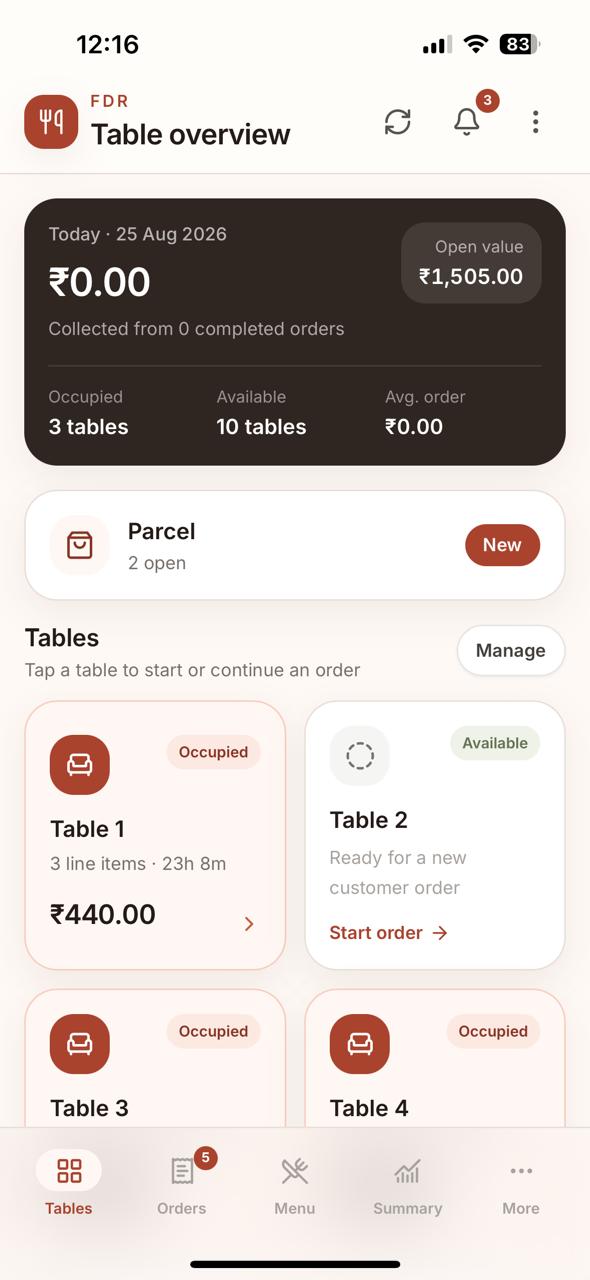
See free vs occupied, open value and today’s collection from the place staff already start.
Tables, parcel, checkout and today’s collection — without turning your restaurant into a software project.
For the people running the shift. Diners do not order on T-Order. Your staff do.
T-Order stays close to the work happening on the floor. No giant dashboard between your waiter and the next table.
Free and occupied tables are visible instead of living in someone’s head.
Several takeaway tickets can stay open without pretending parcel is a dining table.
Discount, GST breakup and payment mode stay with the completed ticket.
Collection, completed orders, average ticket and payment split are already there.
No training-day language. The flow follows the restaurant: open, take the order, checkout, hand the phone over.
Unlock this phone if a device PIN is set.
Tap a table or start a parcel ticket from the floor.
Build the order, add remarks, apply discount and record payment mode.
The next person gets the phone — not your password.
The pitch is the simplicity. Fewer things for staff to ignore during a rush.
These are the customer-facing capabilities worth knowing about — without turning the website into product documentation.
See free vs occupied, open value, and tap a table to start or continue the order.
Keep several parcel tickets open at once with an optional reference — no dummy table.
Add menu items, quantities and remarks, save, continue serving and checkout when ready.
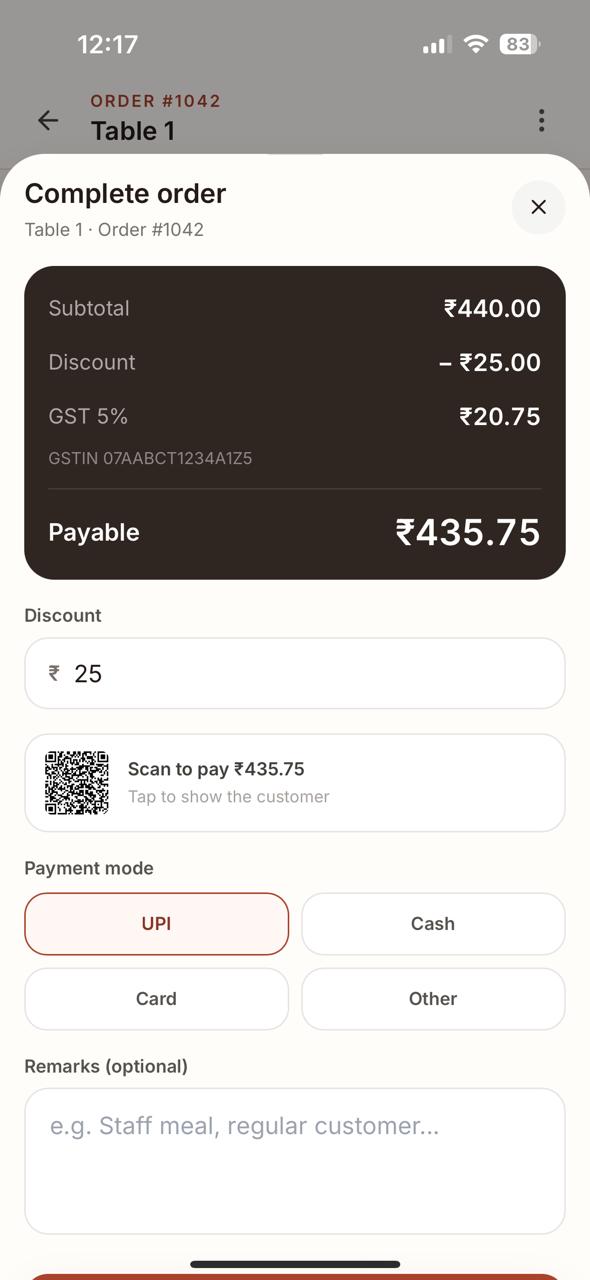
Apply discount, show GST breakup when used, then record UPI, Cash, Card or Other.
See today’s collection plus period comparison, payment mix, dine-in vs parcel and top items.
Roles that fit a small restaurant, with the right controls for each person.
T-Order is already a working staff app. Here are a few representative views — not a screen-by-screen walkthrough.
See free vs occupied, open value and today’s collection from the place staff already start.
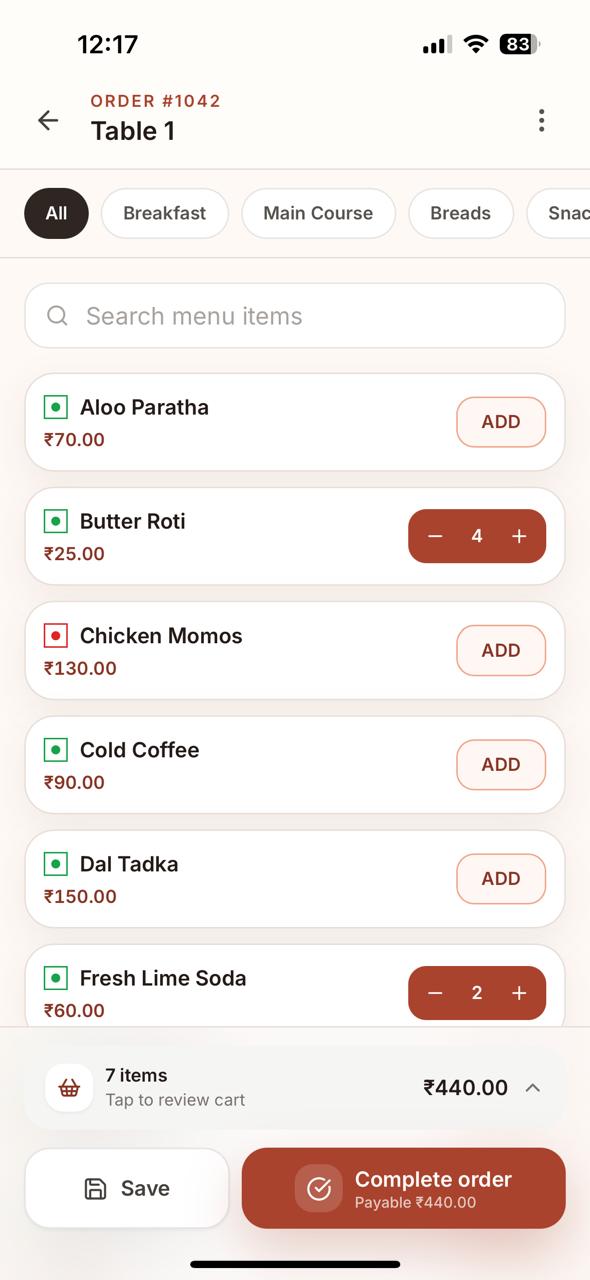
Categories, quantities and remarks stay close to the ticket instead of living across separate modules.
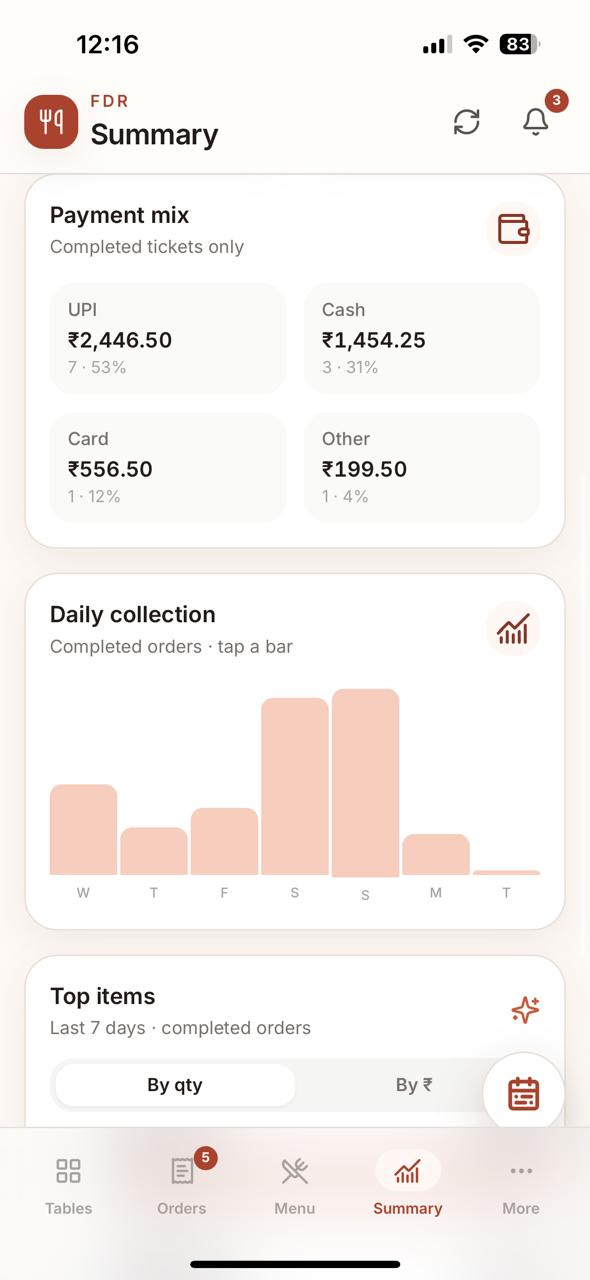
Collection, payment mix, dine-in vs parcel and top-item signals without opening a spreadsheet first.
T-Order supports discount, GST breakup when used, and UPI / Cash / Card / Other payment recording. A UPI QR can be shown for the payable amount when configured.
Keep the till, history, menu and team close without turning the phone into an ERP.
Keep the interface around serving instead of showing every administrative control.
We deliberately leave some things out. T-Order is for floor ordering and day operations, not every department in the business.
Keep them. T-Order handles the floor and day operations it was built for.
No public sign-up maze. Send an enquiry, we create the restaurant and first Owner, then your team can set up the menu and optional tables.
No card collection on this website.
Short answers about installation, parcel, payments, offline behaviour and what T-Order deliberately does not do.
No. T-Order is the staff app. Waiters, counter staff, managers and owners use it. It is not a diner QR menu or customer ordering app.
No. T-Order runs in the browser and can be added to the home screen. It is designed around the phone you already have.
Yes. Dining tables are optional. Parcel tickets are first-class orders and several can stay open at the same time.
No. The QR displays the payable amount when your UPI ID is configured. T-Order is not a payment gateway; staff still marks the payment mode.
Previously saved screens can still be readable if the network drops, but creating or changing orders needs the network.
No. T-Order deliberately stays focused on floor ordering and day operations rather than becoming a full restaurant ERP.
Send an enquiry. We create your restaurant and first Owner login, then you can set up menu, optional tables and staff during the trial.
Tell us your restaurant type, city and what you want to simplify. We can show the app and help you decide if it fits.